
Two new features for macOS:
1. Open apps with shortcuts, like ⌥-1 for Chrome, ⌥-2 for Slack, etc;
2. Open projects with shortcuts, like ⌥-3 for Xcode -> Option1.xcodeproj. Any app.
1. Open apps with shortcuts, like ⌥-1 for Chrome, ⌥-2 for Slack, etc;
2. Open projects with shortcuts, like ⌥-3 for Xcode -> Option1.xcodeproj. Any app.
I built this app to add features I miss in macOS. Now, I will share how I manage windows in macOS.
To switch windows, I usually use the built-in ⌘-Tab. Like always, nothing new.
For apps I use most often, like web browser or messaging app - I bind shortcuts like this:
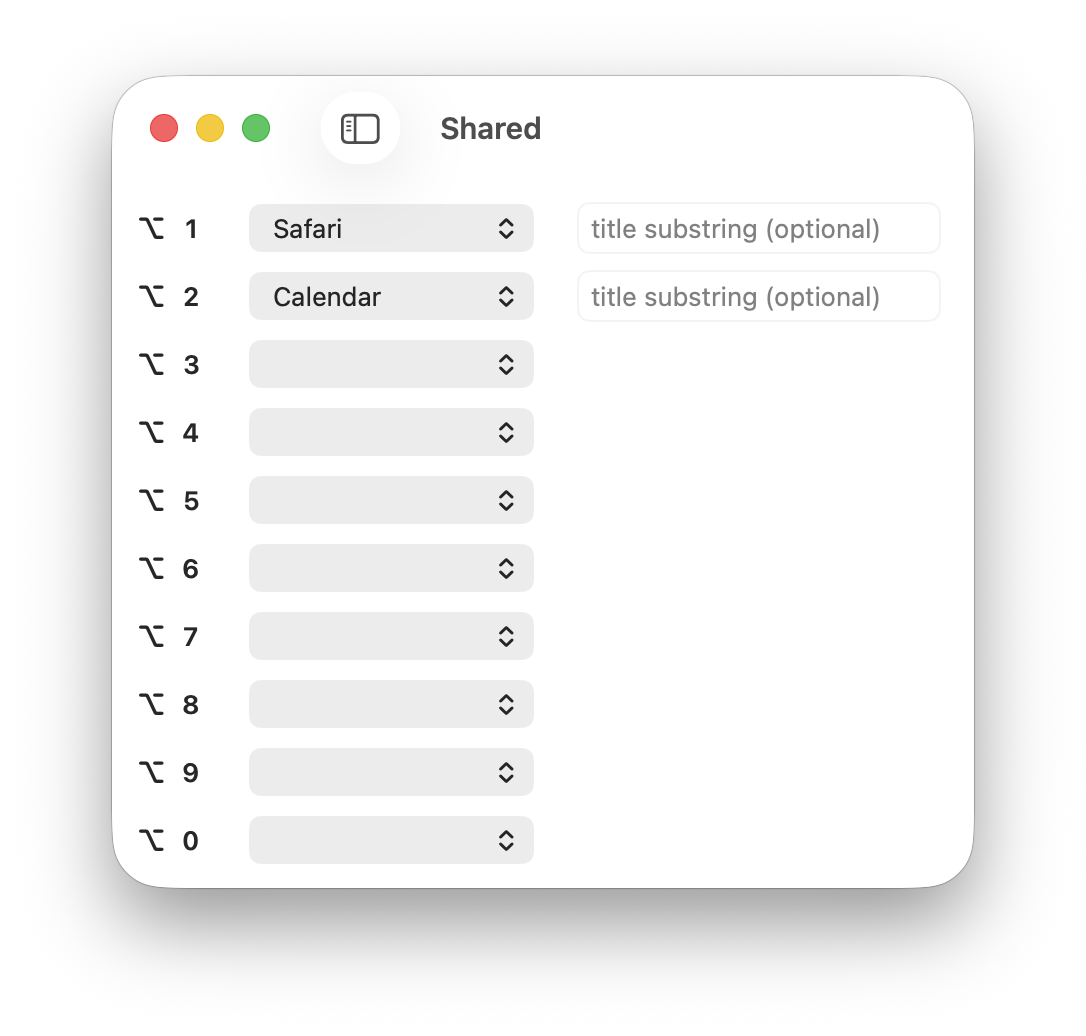
This is what completely changed the way I use macOS.
Example: As a Option1 developer, I often open ~/dev/Option1/Option1.xcodeproj project in Xcode. What I did:
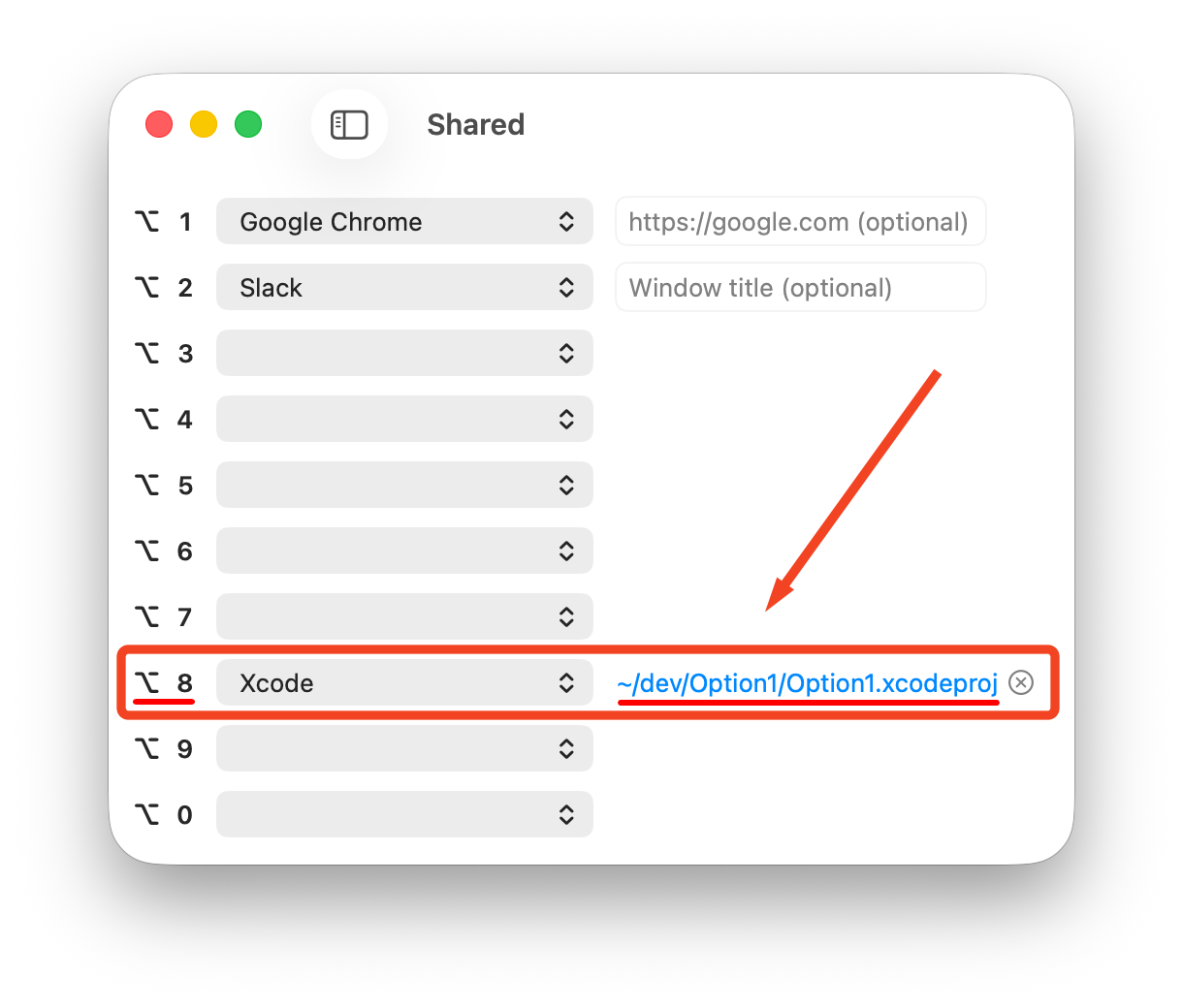
Now, I don't care if the project is open or closed. I just press ⌥-8. I will always switch to the project I need. If the app or project is closed - it opens, otherwise - gets focus.
It's especially useful when we have many Xcode projects open. Because built-in ⌘-Tab switch apps, not projects or windows.
Works with any app. More examples:
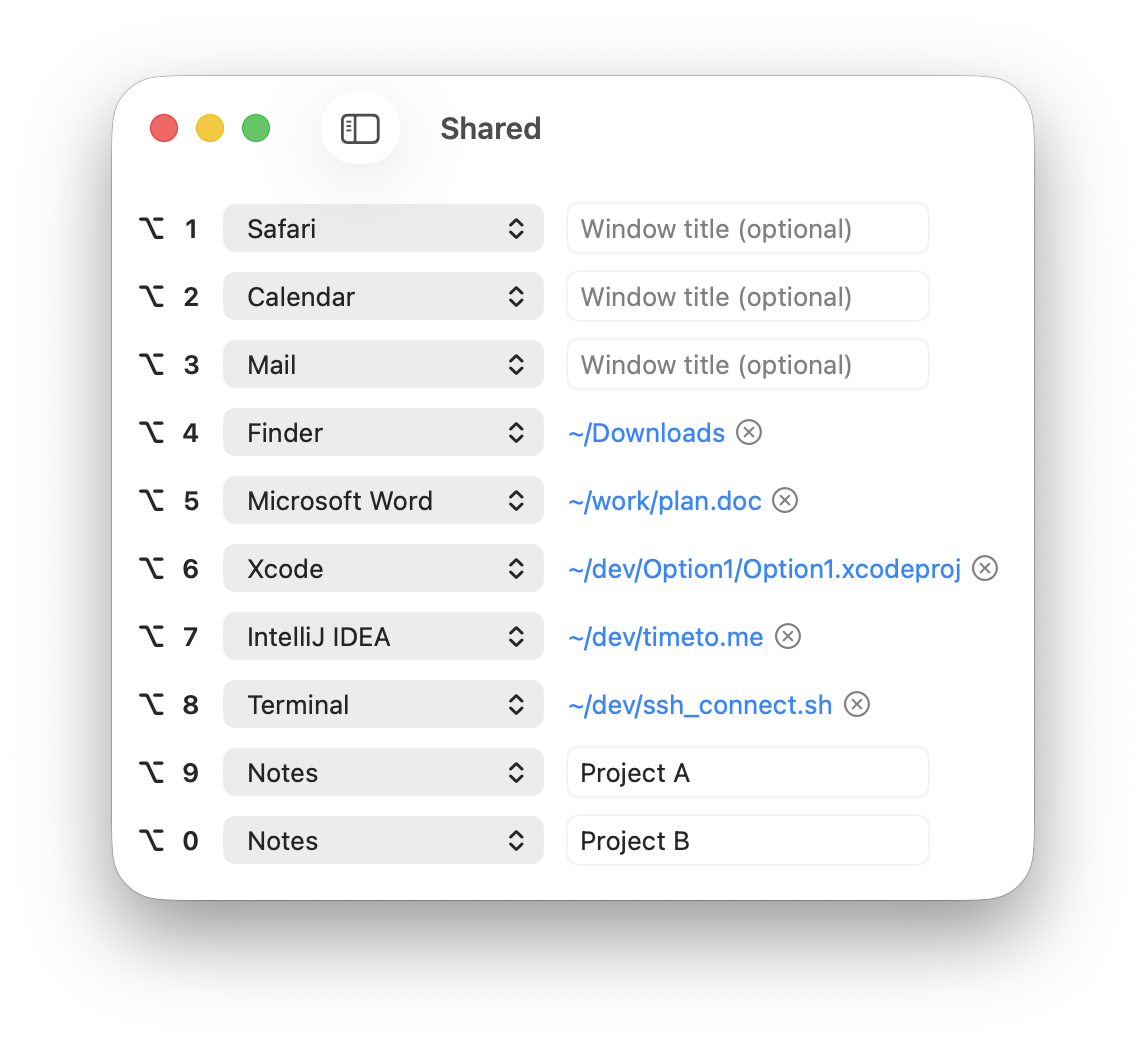
Note that ⌥-0 not just opens Google Chrome like ⌥-1, but also opens a new tab with google.com.
Since we have quick access to any app or window with shortcuts for projects, I prefer to open most apps in full-screen mode.
This makes the main desktop clean and let us take advantage of every inch of the screen. Especially well for professional software.
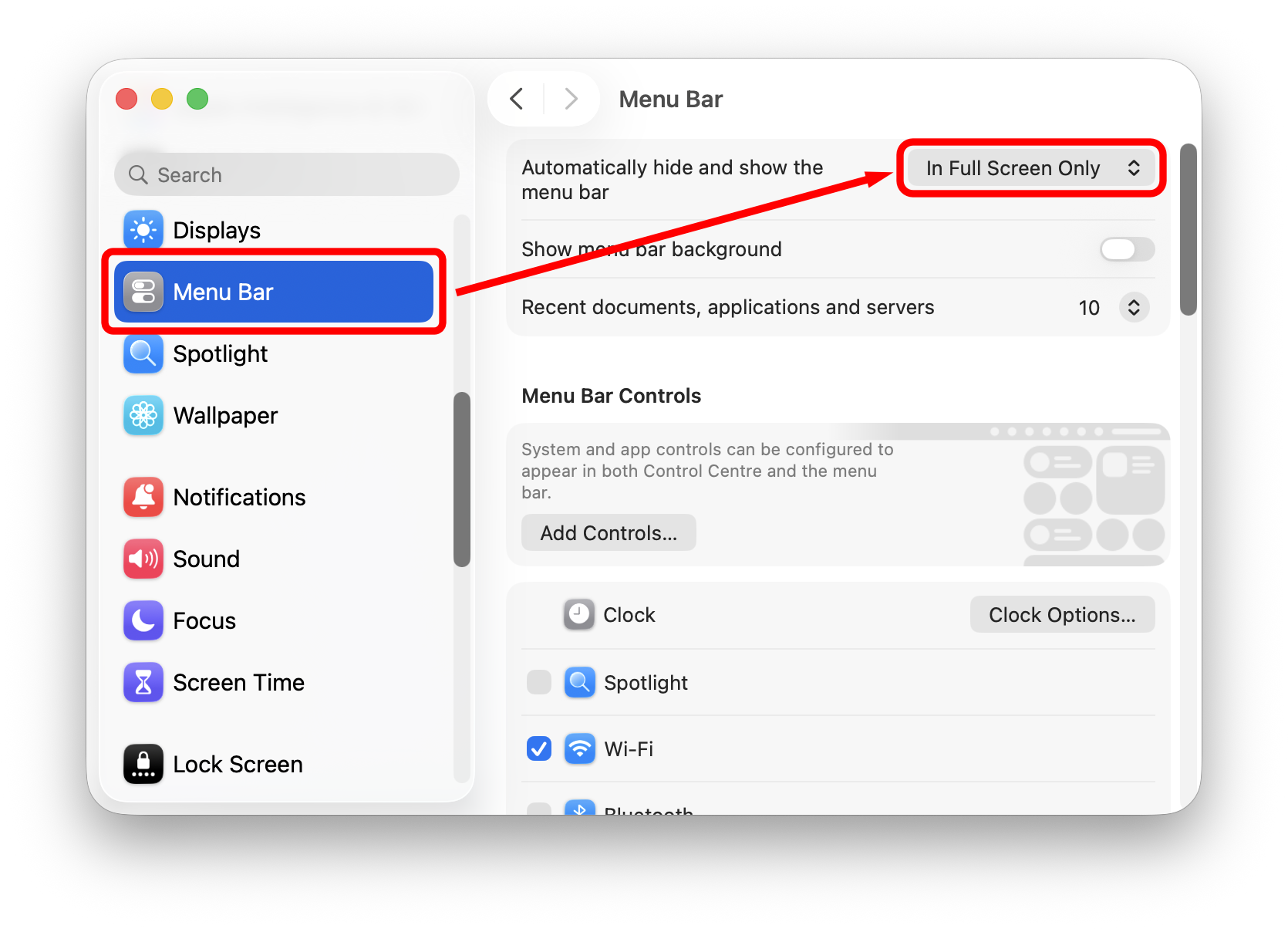
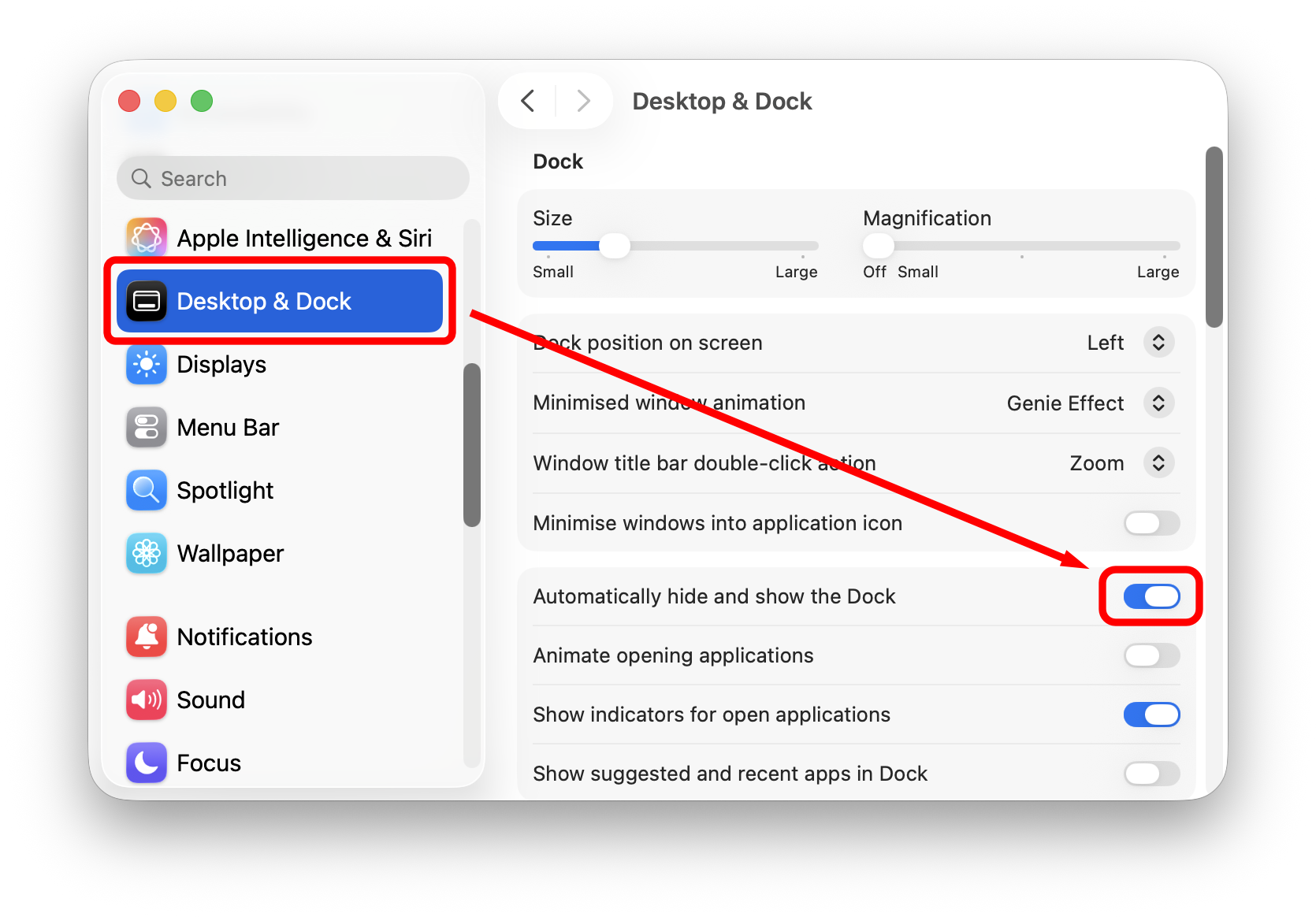
To stay fully focused, I prefer to hide the Menu Bar for full-screen windows in System Settings:
There are a set of built-in macOS features that not many people know about.
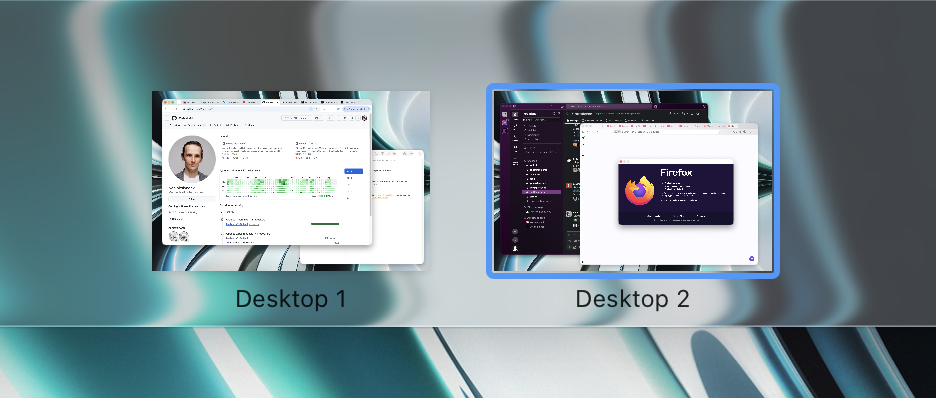
Example: I use a separate desktop with windows for my work: Slack and Firefox - Desktop 2:
Since I bind ⌥-2 for Slack, I want Slack to always open on Desktop 2. For this, I switch to Desktop 2 and assign Slack to This Desktop:
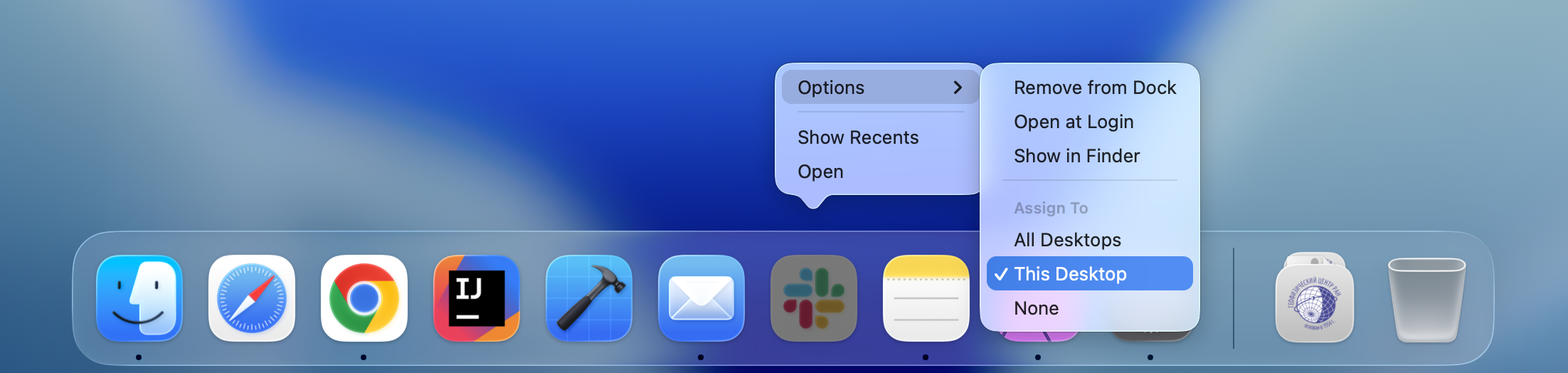
Now, I don't care if Slack is open or closed. I just press ⌥-2. I will always move to Desktop 2 where Slack will be open and focused.
Since I have shortcuts for the apps I use most often, I prefer to hide the Dock:
I'm working on two projects: Option1 and timeto.me. I don't want to bind different shortcuts for each project, I want ⌥-8 to always open Xcode project I'm currently working on.
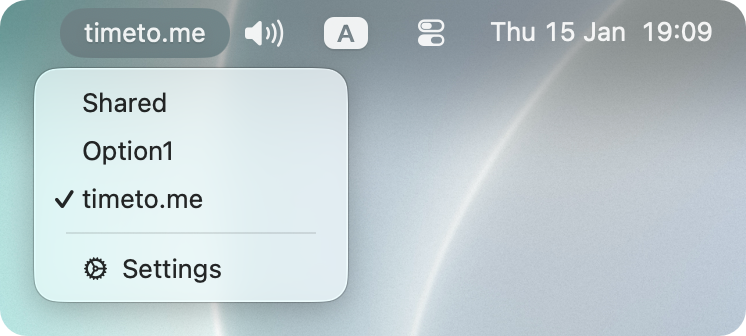
To make this possible, I'm creating two workspaces: Option1 and timeto.me:
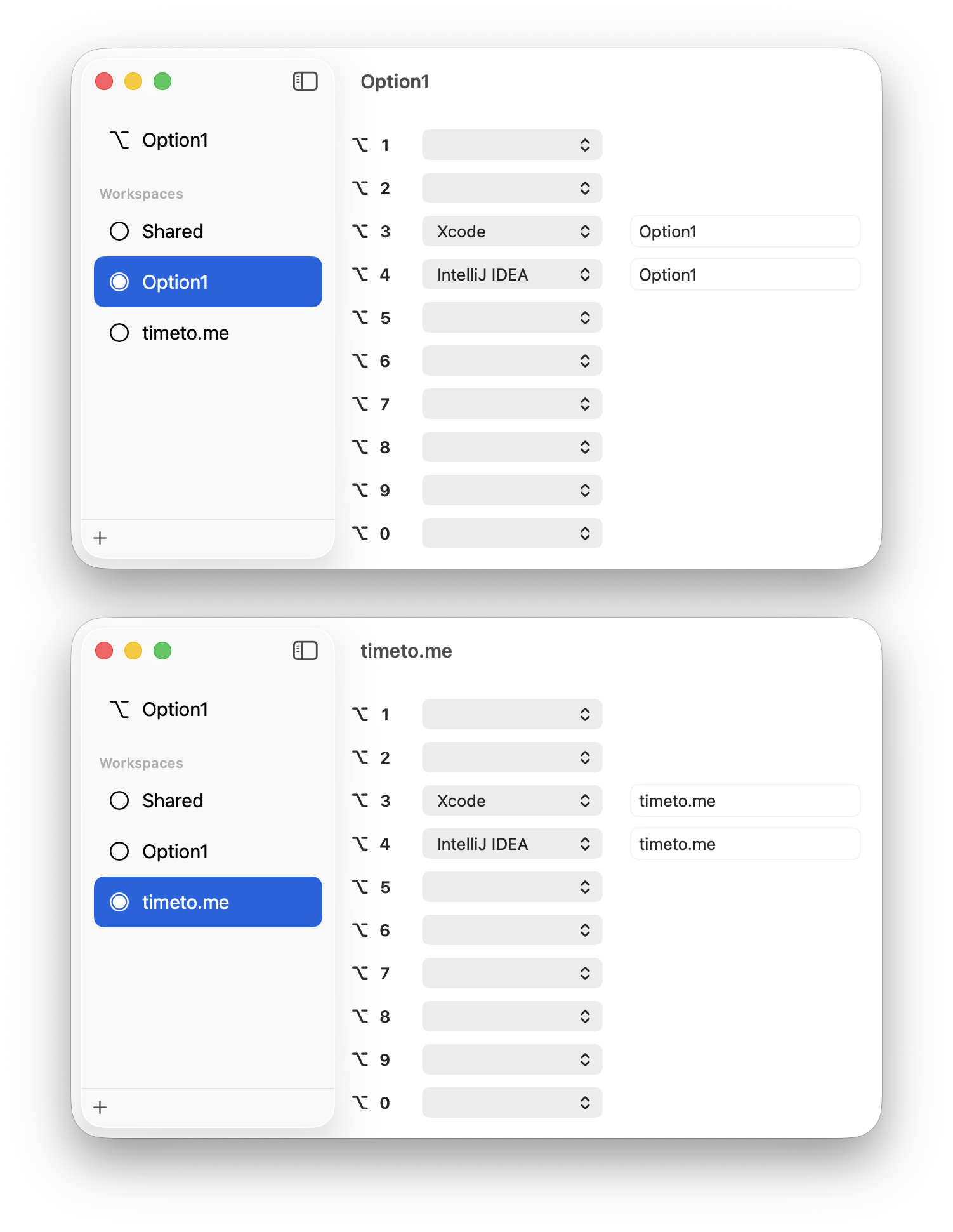
Note that ⌥-1 and ⌥-2 still work from Shared.
To switch the workspace use menu bar:
An addition to built-in ⌘-Tab. Especially useful when you need to switch a window for the app, because built-in ⌘-Tab switch apps, not windows.
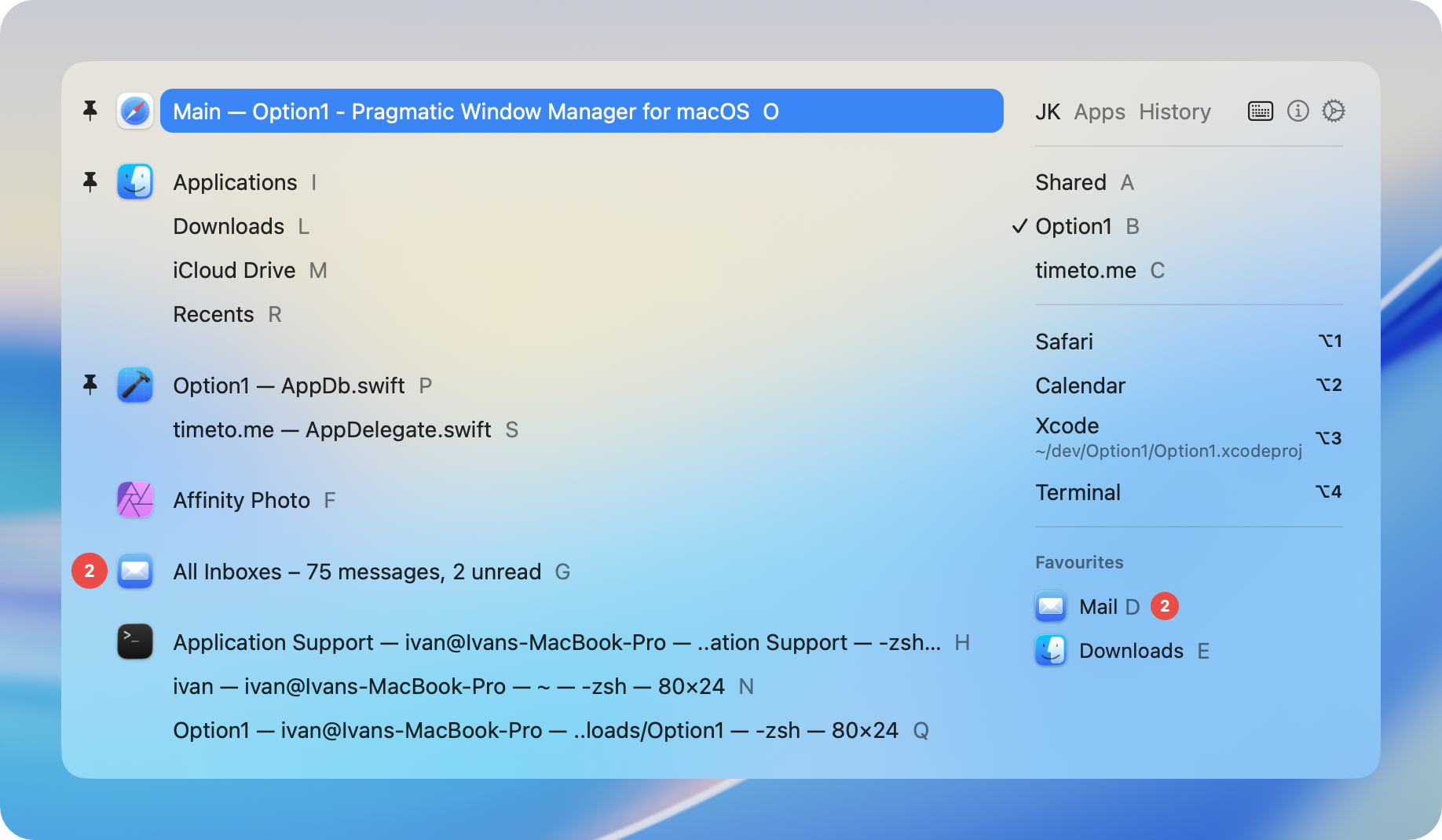
⌥-Tab provides a few additional options:
To be honest, I don't use ⌥-Tab very often. But sometimes it's just indispensable.
Crafting this app I focused on the features I missed in macOS. It is not a replacement but an addition to the built-in macOS window management: